Network MACMonitor
6.0.3
Common information
Install
Quick start
Change password for user admin
Добавление учетных данных SNMP
Add network devices
Adding seats
Connection settings
Poll Windows computers
Example of configuring computers in a domain for poll via WMI
Install license activation file
Adding end devices
Receive email notifications
Update
Program Menu
Settings
Места
Devices
Commutation
Reports
Визуализация
User profile
Extra
Пример настройки HTTPS
Пример настройки LDAP аутентификации
Add unsupported network device
Hints for using the program
Example configuration of snmp v3 on cisco switch
Network MACMonitor
Docs
»
Quick start
»
Добавление учетных данных SNMP
Добавление учетных данных SNMP

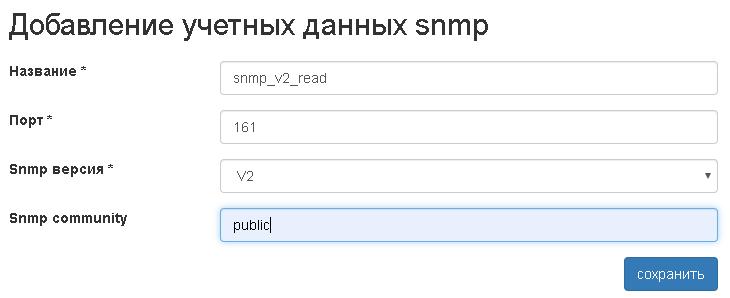
Зайти в пункт меню Настройки→SNMP.
Нажать кнопку добавить. Заполнить необходимые поля, нажать кнопку сохранить.
Выполнить пункт 2 необходимое количество раз.