Add network devices
Сетевые устройства - это коммутаторы, маршрутизаторы, медиаконвертеры, модемы и т.д.
Перед добавлением сетевых устройств необходимо добавить места и учетные данные SNMP.
- Зайти в пункт меню Устройства→Сетевые устройства.

- Нажать добавить, заполнить поля и нажать кнопку сохранить.


Note
It is possible to test the availability of a device via snmp. To do this, when adding a device, you must click the button “test snmp”.
- Проделать пункт 1 для всех сетевых устройств.

Note
Если устройства отличаются только ip адресом и положением, то вместо добавления устройства, можно копировать уже существующее изменив ip адрес и положение, для этого при добавлении устройства нажать «сохранить и копировать».
- Go to Settings → Global Settings. Set the “Reports update period” option to the desired value (for example, 600 seconds).

Note
After setting the option, every 600 seconds network devices will be polled to get mac, arp, neighbor tables and reports will be generated.
Note
It is possible to update reports manually. To do this, go to the menu item Reports → Network → update.
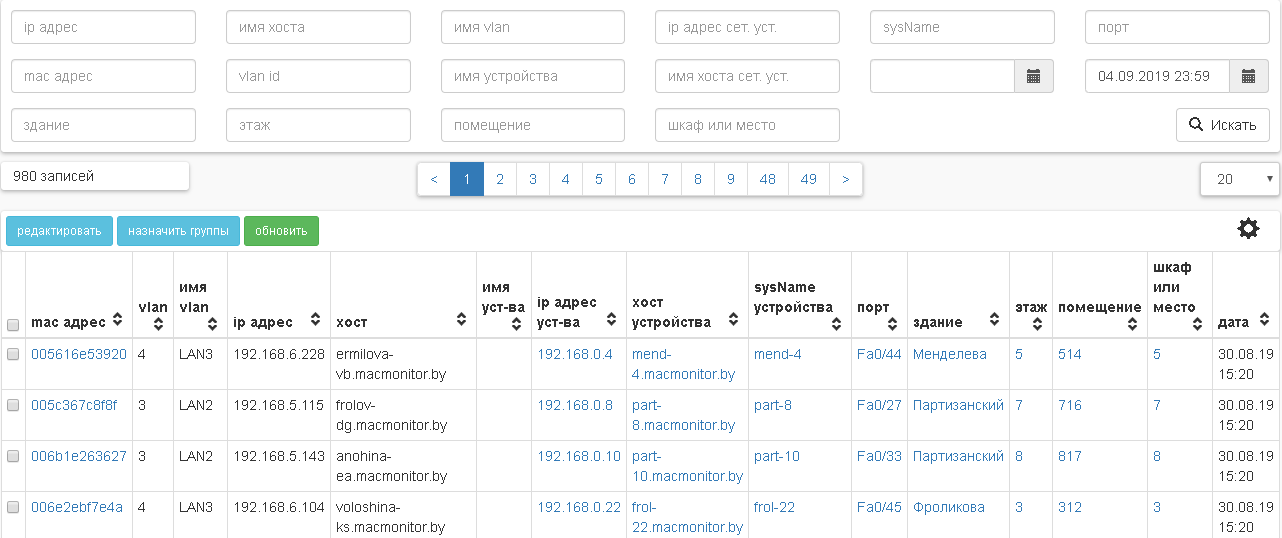
Note
Please note that by default the network report will display records with mac addresses found only on NOT_TRUNK ports.